CONSTRUCTION TAKEOFF · MAC
See the work. Price the work.
From plan measurements to a bid you can trace. Watch the workflows, explore the screens and try the demo drawings.
October 2026 release preview · Recorded in a development build. Features may differ from the currently available App Store version.
Watch it in action
9 short videos · 16–27 secondsAI assistance. Visible results.
Trace plan linework with a compatible AI client, then review the measurements in the Mac app.
The player could not load this clip. Try the Download MP4 link to open it directly.
What happens in this clip
AI assistance. Visible results. → Review the takeoffs saved on your plans. → Lengths, areas and counts stay in the project.
On-screen titles and music; no spoken narration. Workflow details below provide a text alternative.
The workflows, step by step
Expand a topicMeasure lengths, areas and counts
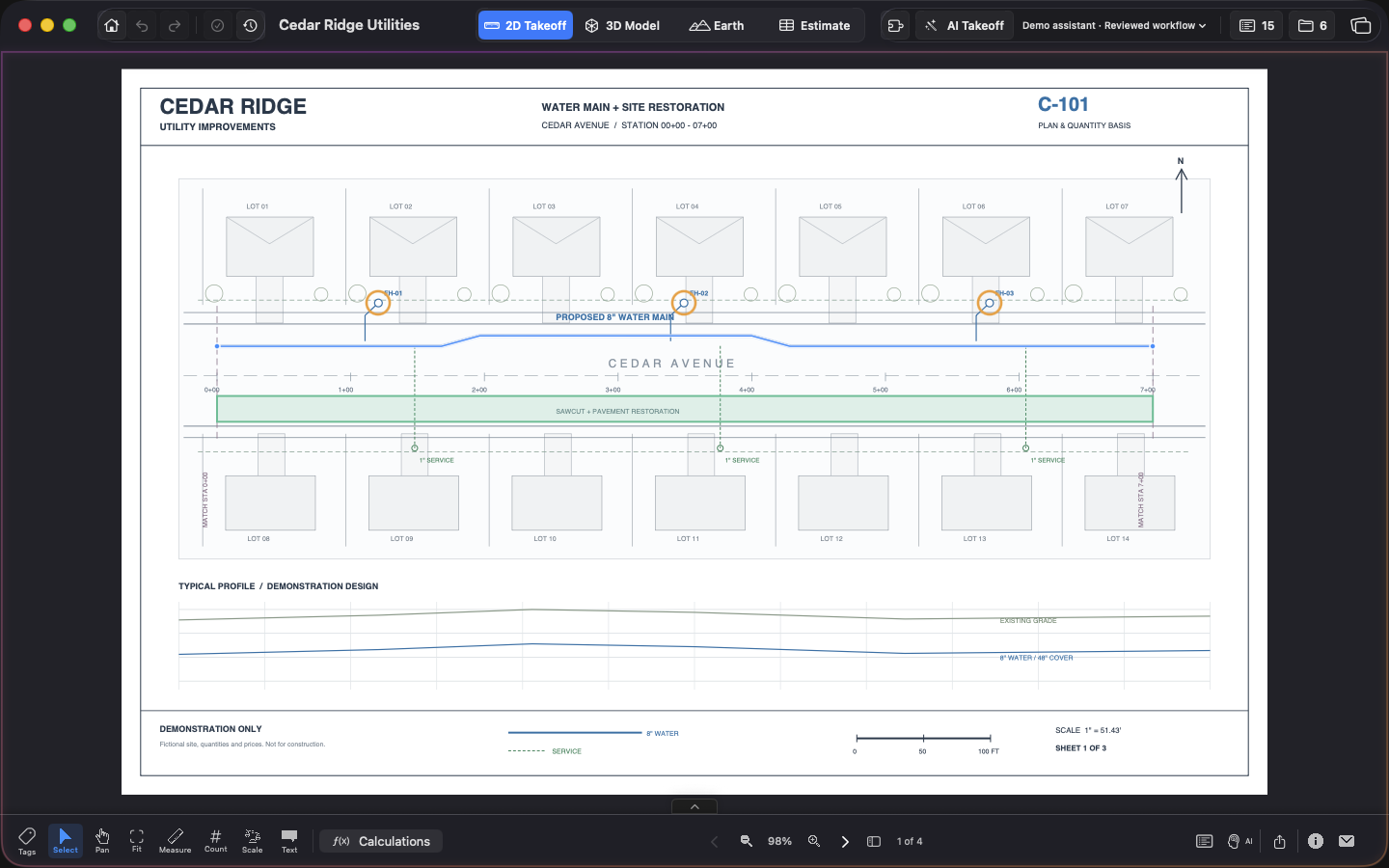
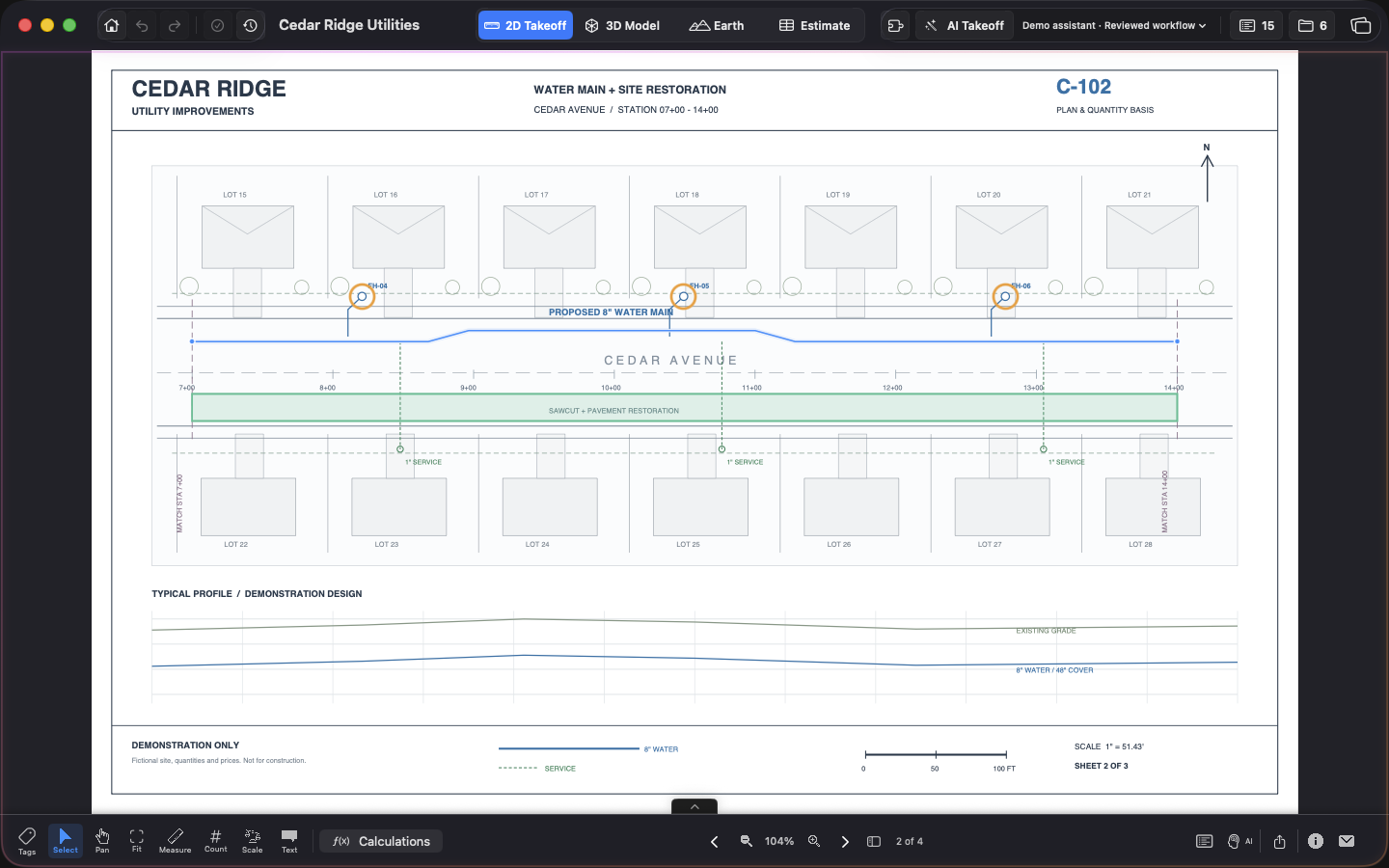
Import your PDF drawings, set and verify the scale, then use length, area or count measurements for the scope you need. Keep utility runs and restoration areas organized by takeoff type.
This demo contains three water-main runs totaling 2,106.36 LF, nine hydrants and 40,500 SF of pavement restoration.
Use AI assistance with review
Connect a compatible external AI client through the MCP companion. Inspect plan linework and scale, prepare the measurements, and review the result in Construction Takeoff before using quantities in a bid.
AI assistance is a separate setup. The recorded build includes native bridge tools; available commands depend on your app and companion versions. The downloadable plugin is a local preview.
Understand the price per foot
Select a bid item in Estimate. The Bid Item panel shows the bid total next to the unit price, followed by direct cost, overhead, contingency and profit. The unit price is the bid total divided by the item quantity.
For example, $104,297.19 ÷ 2,007.44 LF is $51.96 per LF after rounding. Use the exact quantity for the calculation, not a rounded display quantity.
Turn production into workdays
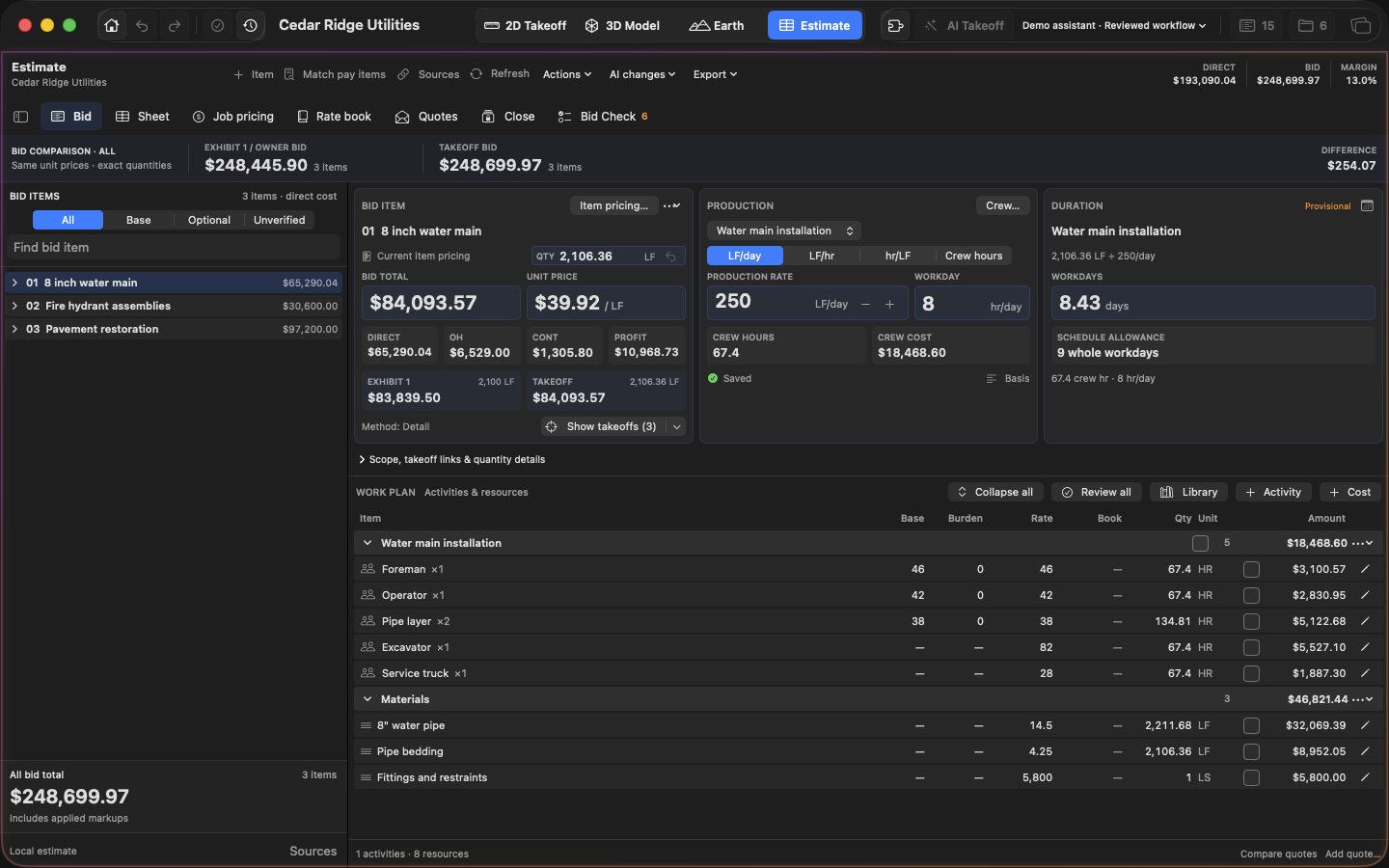
Set the production rate and hours per workday. The Duration panel shows the calculated workdays and a whole-workday allowance that you can use when planning the schedule.
At 200 LF/day, 2,106.36 LF takes about 10.53 workdays, or an allowance of 11 whole workdays. This is a production estimate; calendar dates, holidays and other schedule constraints are separate.
Follow a bid item to its takeoff
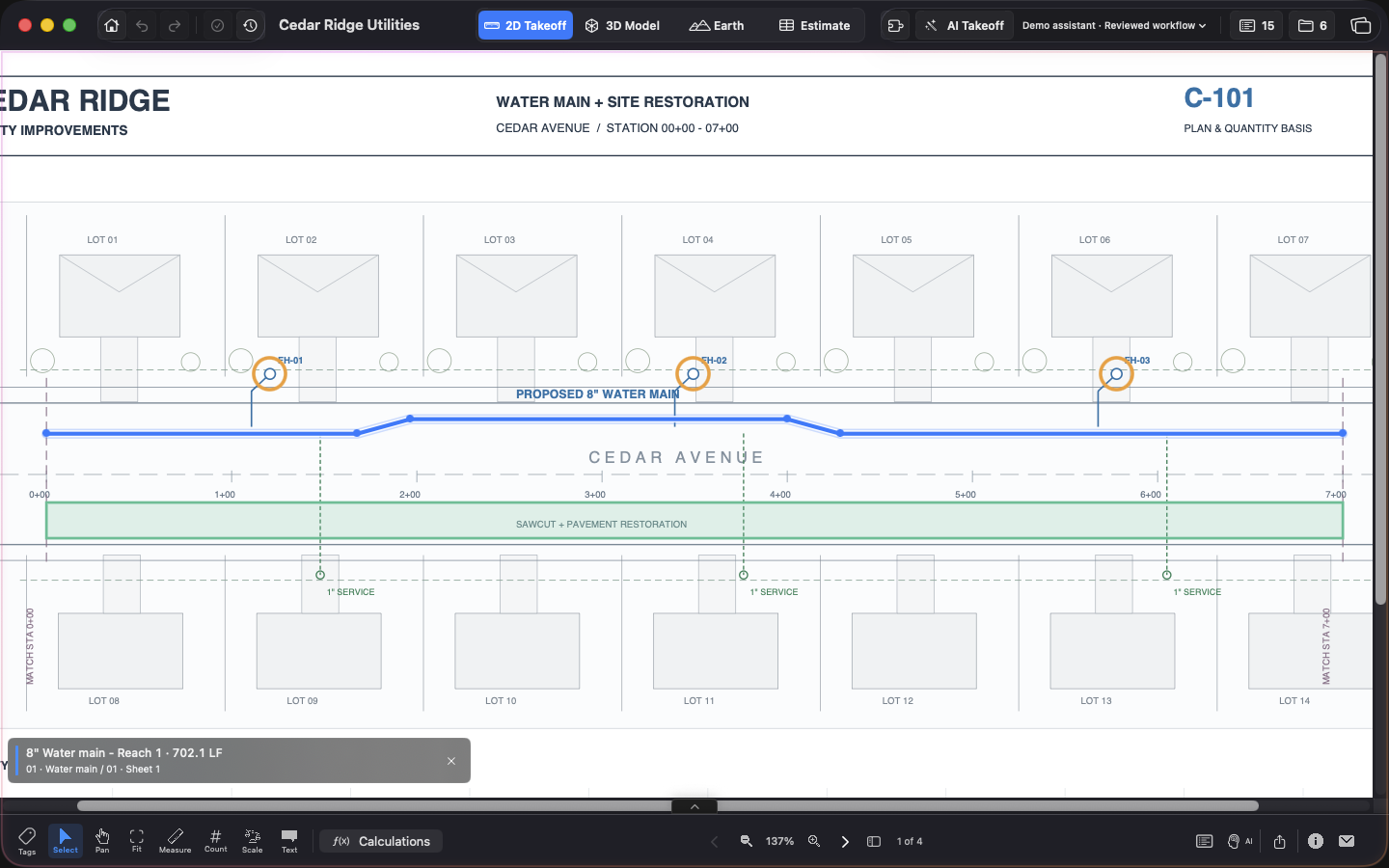
Select the bid item, choose Show takeoffs, then choose a linked measurement to locate its drawing. Use this to check the scope and geometry behind the quantity.
The link follows measurements already associated with that bid item. Review the drawing and scale when reconciling a discrepancy.
Compare owner quantities and measured quantities
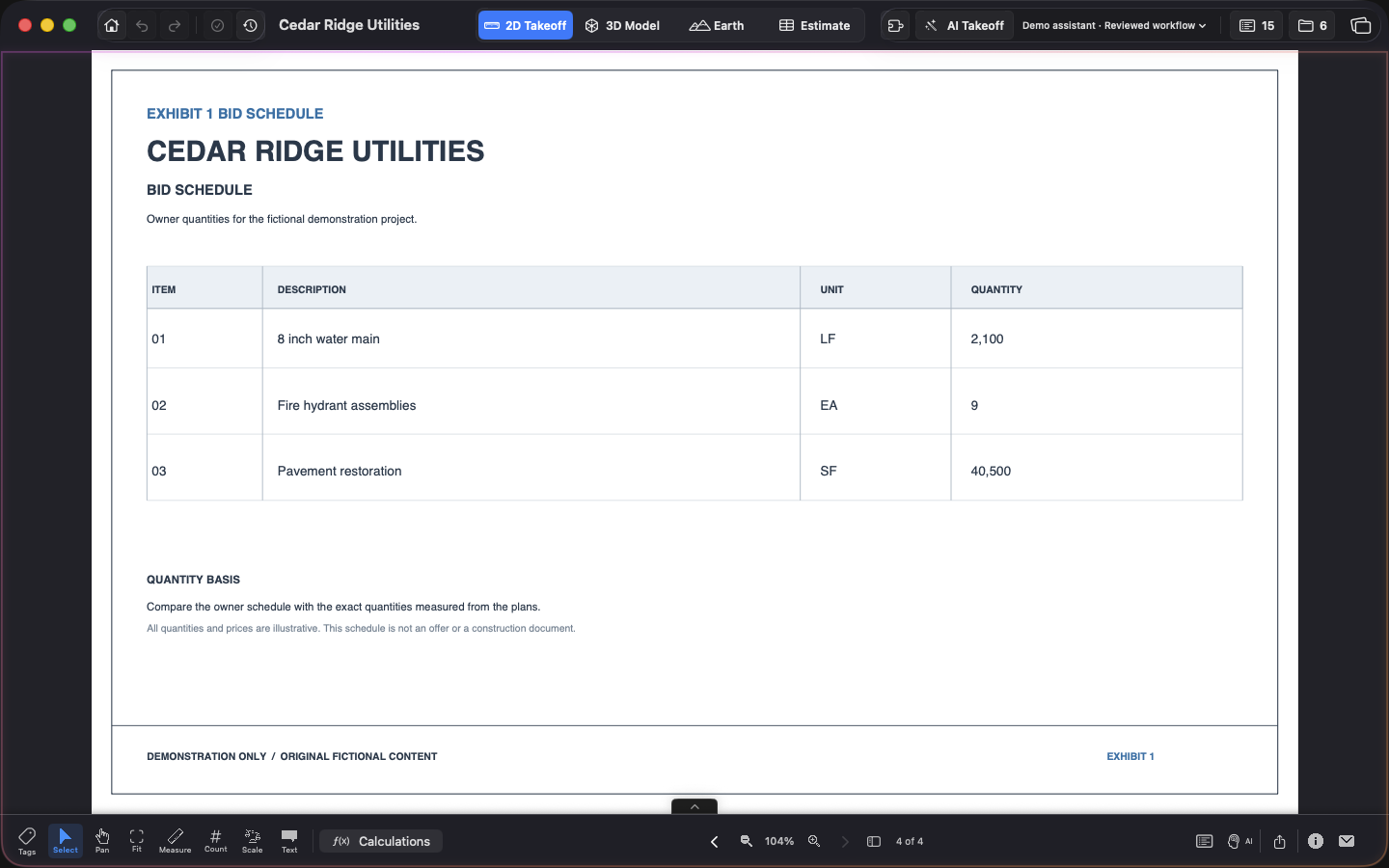
Review the owner / Exhibit 1 quantity alongside the measured takeoff quantity. Compare both bids at the same unit prices, and check coverage before interpreting the difference.
This demo uses a manually prepared and reviewed owner schedule: 2,100 LF, nine hydrants and 40,500 SF of restoration. It does not demonstrate automatic schedule extraction from a PDF.
A closer look
6 original app screenshots · Click to expand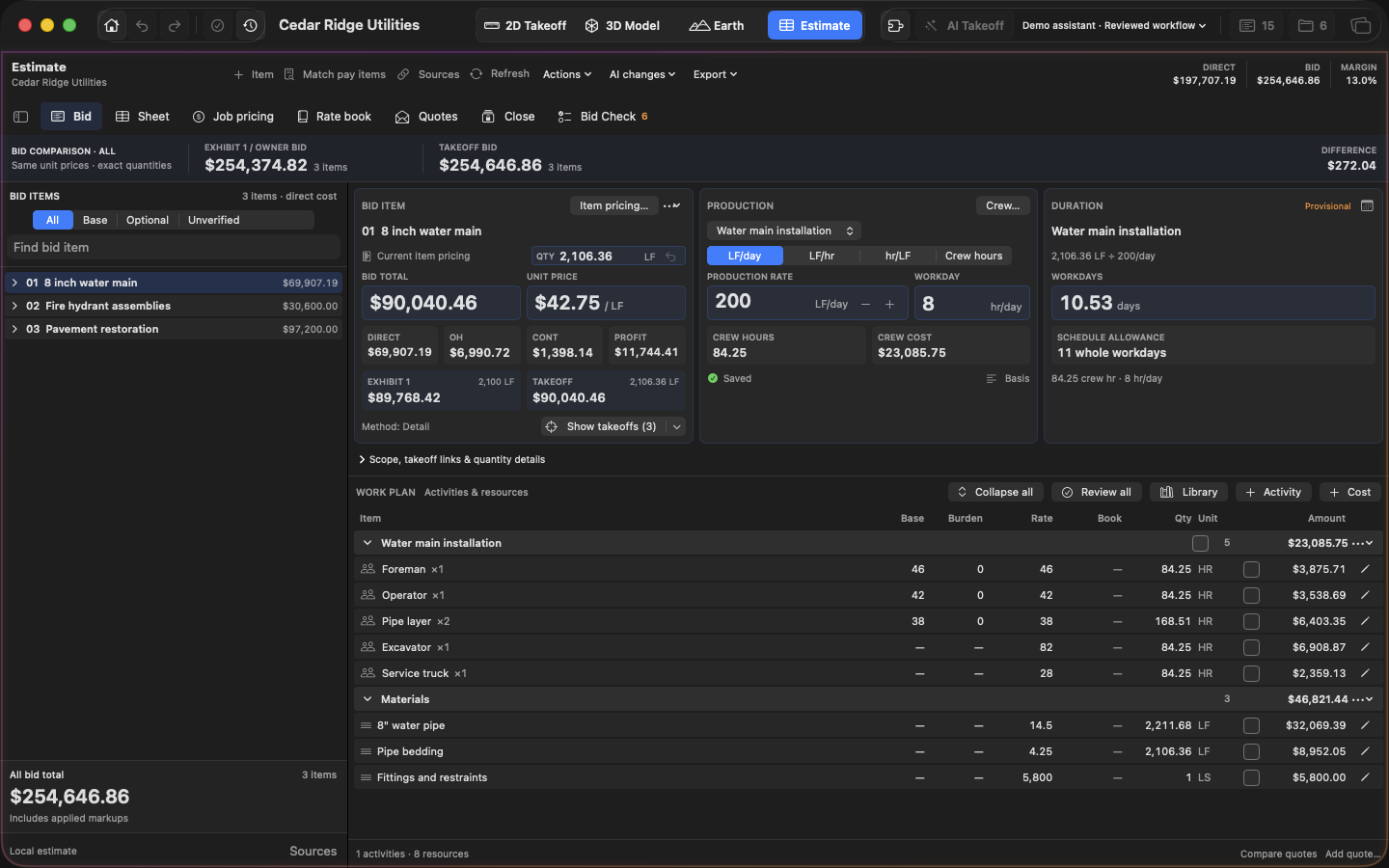
Explore the same drawings
Cedar Ridge Utilities is an original fictional project: three utility sheets and an owner bid schedule. All quantities, rates and production assumptions are illustrative.